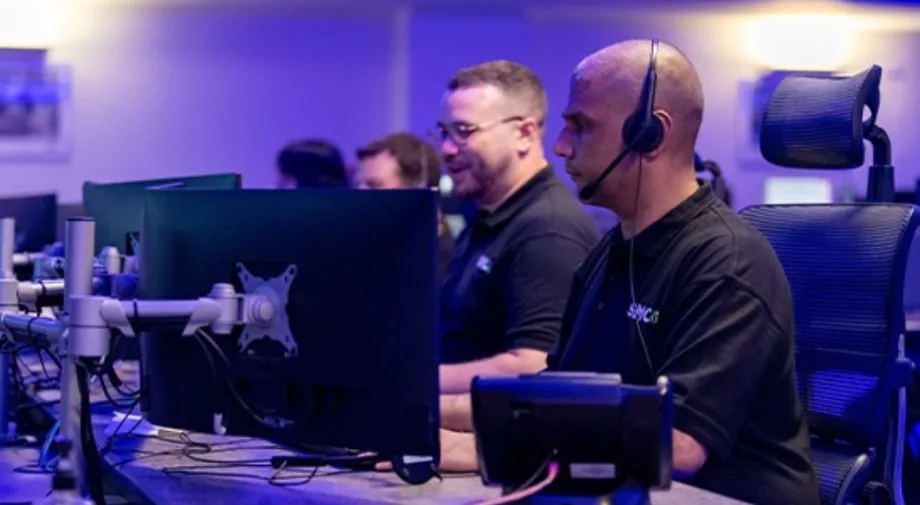
Operators at monitoring workstations in a professional alarm control room
Back-to-Base, Duress & Multi-Site Monitoring

Commercial Alarm Monitoring Perth

Back-to-base monitoring for businesses, facilities and multi-site portfolios across Perth and WA, through a Grade A1 monitoring centre. Intrusion, duress, open/close reporting and camera verification, on the alarm panel you already have or one we install.
What businesses actually ask us for

Commercial monitoring enquiries in Perth rarely start with "we want an alarm monitored". They start with a requirement. A dangerous-goods freight forwarder has to hold accreditation that calls for access control, cameras across the warehouse and the external yard, and 24/7 monitoring, and wants one proposal covering all three. A facility with bonded-store-style obligations needs 24-hour monitoring, controlled access and a way to get security on site if there is an intruder. A regional council goes to market for a contractor to monitor and service its alarms. A business fitting out a reception wants panic buttons at the counter, codes for after-hours arming, and to understand exactly what happens at the monitoring centre when a button is pressed.

The other common call is a changeover. A business already monitored by someone else that wants a second contractor for servicing because the incumbent's call-out rates are too high. An operator with sites in two states that needs the monitoring contact lists sorted properly. A client whose alarm activated while they were away and found nobody at the monitoring company could be reached. A site whose keyholder details at the monitoring station had been wrong for days before anyone noticed.

Every one of those is a monitoring problem before it is a hardware problem. This page covers how we set commercial monitoring up so the signal path, the contact list and the response plan are right, and what a takeover of an existing panel involves.

What back-to-base monitoring does for a commercial site

The alarm panel on your wall reports events to a staffed control room. Operators act on each event according to a plan written for your site. On a business account that plan covers more than a break-in.

Events the centre acts on

  • Intrusion from any zone, with the zone name so the operator knows it was the stockroom, not the office
  • Duress and hold-up signals, handled silently as priority events
  • Tamper on the panel, keypads, sirens or detectors
  • Mains failure and low backup battery before the panel goes dark
  • Communications failure when the panel stops polling
  • Fire and smoke detector inputs where the panel carries them

Open and close reporting

  • Each user code reports who armed and disarmed, and when
  • Late-to-close: the site is still disarmed after the scheduled time and nominated contacts are told
  • Early or out-of-hours open flagged as an event, not buried in a log
  • Cleaners, contractors and managers on separate codes and schedules
  • Reports by site or by portfolio for facility and retail managers
  • The log that answers "who was in the building on Saturday night"

The response plan

  • A contact list per site, in order, with roles and the authority each person has
  • Police notification criteria agreed up front, including for camera-verified events
  • Patrol or guard attendance arranged where a site wants a physical response
  • Instructions that differ by event: a low battery is an email, a duress is not
  • Reviewed at each maintenance visit so the list does not go stale
  • Test procedures so staff can trigger a duress test without a police attendance

Camera verification

  • An alarm event pulls a clip or live view from the cameras covering that zone
  • The operator sees a person or a vehicle, or sees a curtain and a ceiling fan
  • Verified events are escalated with confidence; false events are closed without a call-out
  • Works with existing NVRs on many sites, and with UniFi Protect, Hikvision, Dahua and Ajax cameras
  • Can be added to a monitored alarm that is already in place
  • Perimeter and yard detection reports the same way as internal zones

Duress and hold-up monitoring

Reception desks, pharmacy counters, medical practices, licensed venues, council front counters and any workplace with staff facing the public after hours ask for the same thing: a button that gets help without escalating the situation in front of them.

A monitored duress button does exactly that. The activation is silent on site. It arrives at the monitoring centre as a priority event with the site name and the button location. The operator follows the procedure agreed for that site, which usually means notifying police and calling a nominated manager on a number away from the counter, rather than ringing the desk where the button was pressed.

Specifications we receive from larger clients often ask for duress inputs to be isolated to the monitoring service, separate from the intrusion alarm. That is a normal request and the panels we install support it: the duress zones report on their own event codes and can carry their own response instructions, on a system that may not arm the rest of the building at all during trading hours.

Button types we fit and monitor

  • Fixed under-counter buttons at reception, points of sale and dispensaries, wired to the alarm panel as 24-hour zones.
  • Two-button units that need both pressed together, cutting accidental activations at busy counters.
  • Wireless pendants and fobs for staff who move around a floor, a ward or a yard, on Ajax, Bosch and Inner Range platforms.
  • Keypad duress codes that disarm the system normally while sending a silent signal, for staff forced to open up.
  • Lone-worker and after-hours arrangements tied to the site's open/close schedule.

Related: panic button installation and commercial alarm systems.

From the field: a takeover starts at the controller

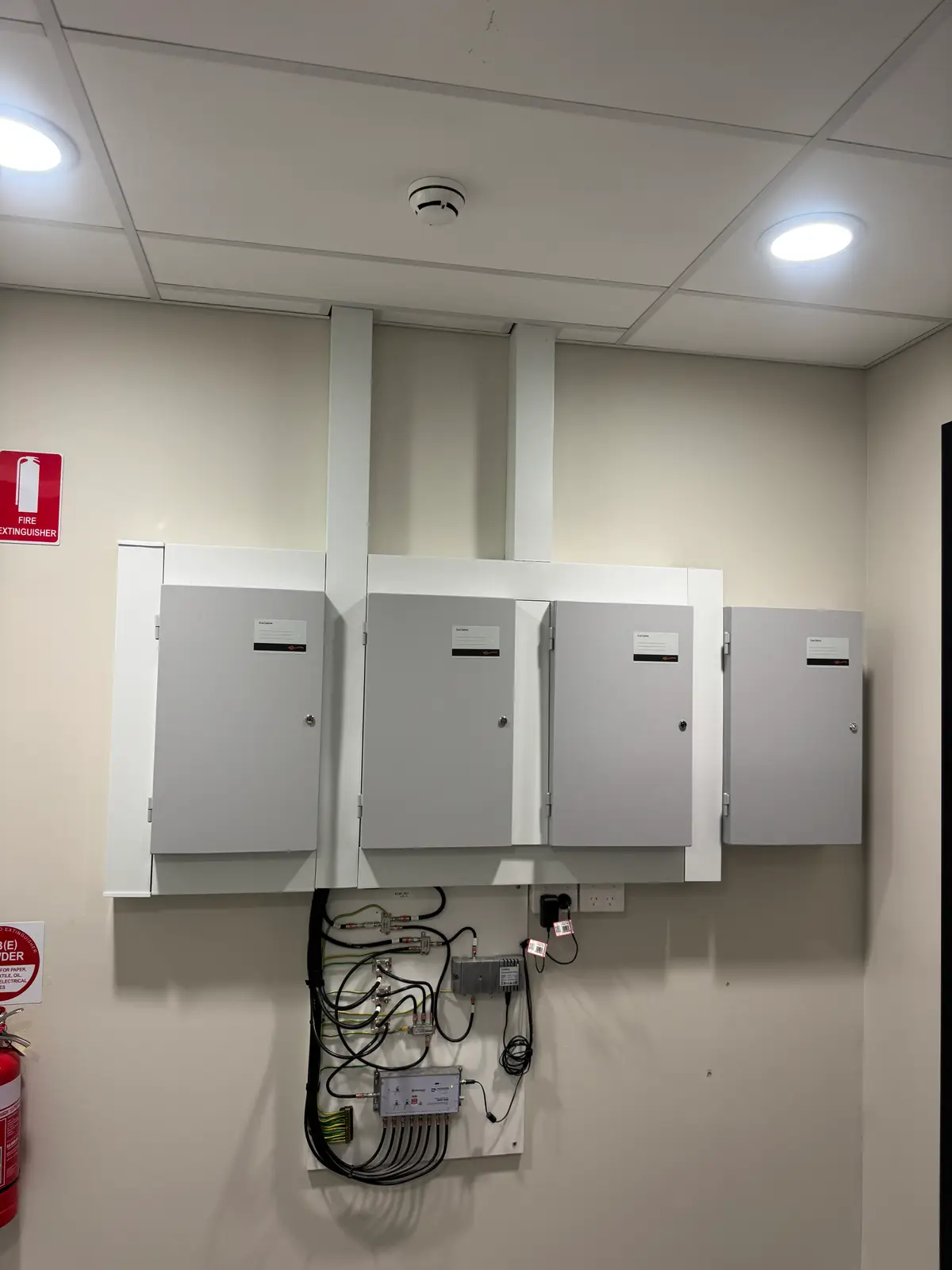
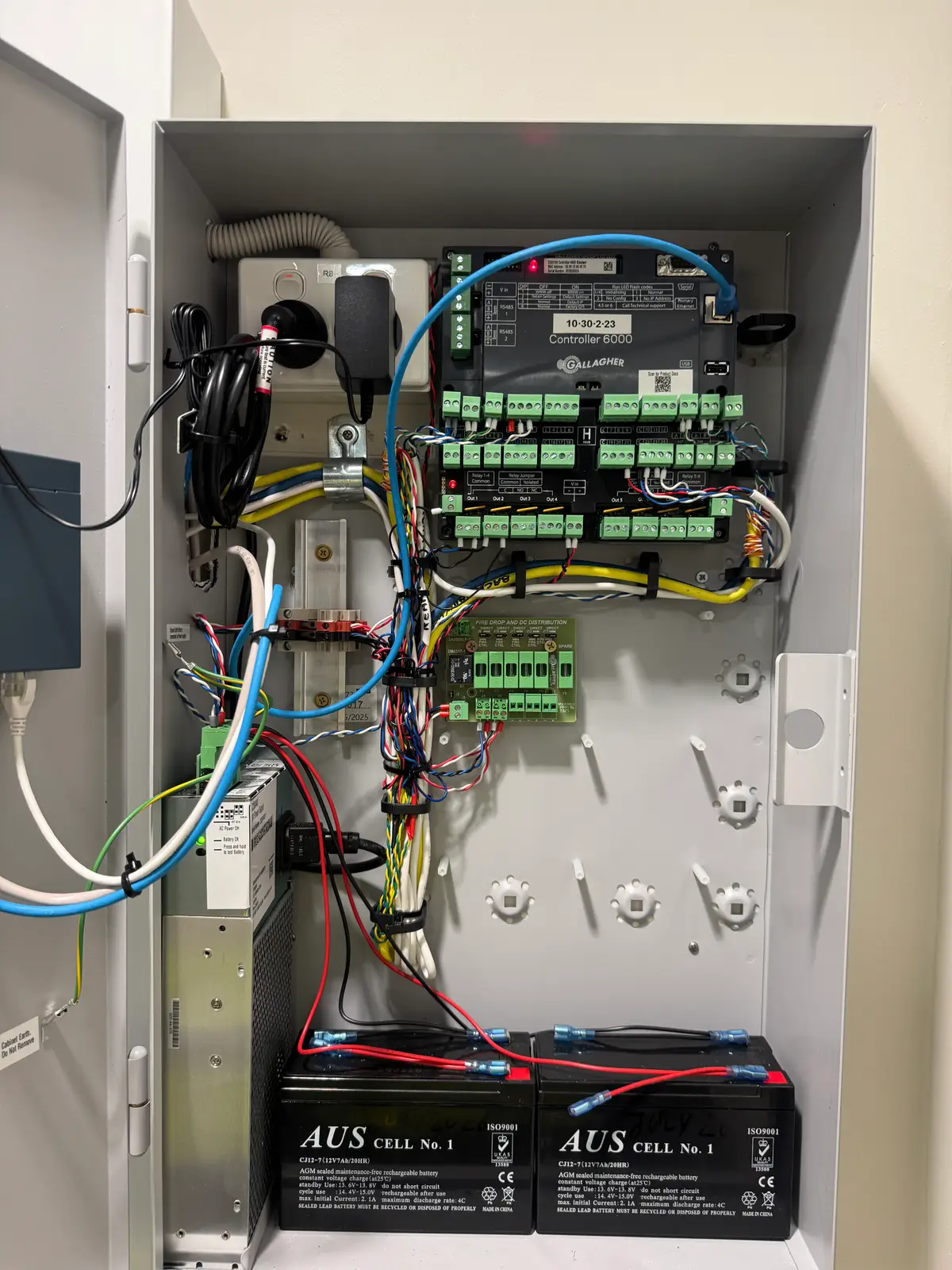
When a business moves its monitoring to us, the first job is not paperwork, it is the cabinet on the plant-room wall. On a recent commercial site the visit meant opening each controller enclosure, checking the backup battery and terminals, confirming which communicator was fitted and which network it was on, and pulling the zone list so the monitoring centre's programming matched what was actually wired. A panel that has been monitored for ten years often has zones labelled for a tenancy layout that no longer exists.

Then the path gets tested end to end: every zone tripped, the duress button pressed under test conditions, mains pulled to confirm the fail signal arrives, and the contact list read back to the client line by line. Two of the calls we took this year were from clients whose monitoring had quietly stopped working, one because the contact details at the centre were wrong, one because nobody at their provider answered when the alarm went off. Both are contact-list and path problems, and both are found on the first visit, not the first break-in.

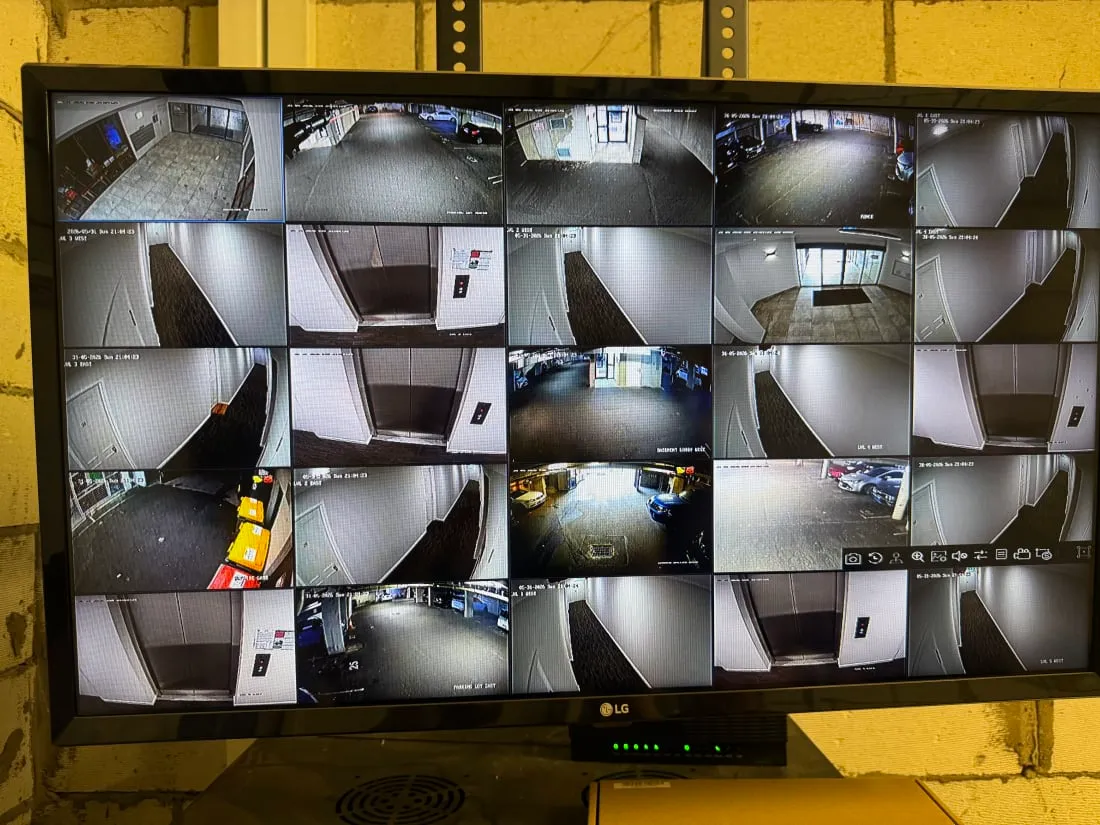
Where the site also has cameras, the same visit checks the recorder and the camera wall so verification is available to the operator from day one, and we document what was found so the client has a baseline for the maintenance agreement if they take one.

Bank of four commercial security controller cabinets on a plant-room wall at a Perth commercial site Commercial security controller enclosure open for a backup battery and board inspection at a Perth site Live multi-camera wall during a CCTV system health check

Multi-site and portfolio monitoring

Retail groups, facility management companies, strata portfolios and businesses with premises in more than one state have a different problem from a single shop: keeping twenty contact lists, twenty arming schedules and twenty panels straight, with one bill and one report at the end of the month.

We set each site up as its own client code under one account. Each has its own keyholders, its own open/close schedule and its own response instructions, so a late-to-close at one store calls that store’s manager, not head office. Reporting rolls up by site, by region or across the portfolio. Adding a site is a programming change. Mixed panels across the estate are normal: we monitor Bosch at one site, Inner Range at another and Ajax at a third under the same account.

Where a facility manager or committee holds the relationship rather than the occupant, the reporting is written for them: what happened, who attended, what was found and what needs fixing, in a form that can be forwarded to an owner or an insurer without editing.

Set up per site

  • Client code and site name as the operator sees it
  • Zone list matched to the current floor plan
  • Contact list with roles, order and authority
  • Arming schedule and late-to-close rule
  • Duress procedure and test procedure
  • Camera links for verification where fitted
  • Dual-path communicator status
  • Servicing contractor on record (us or yours)

Switching your monitoring to us

  1. Tell us what is on the wall. Panel make and model, how many sites, whether there is a 4G or IP communicator fitted, and who monitors it now. A photo of the keypad and the inside of the cabinet answers most of it.
  2. Check your current agreement. Notice periods and exit terms sit between you and your existing provider. We work to the changeover date you set, and monitoring with us starts when the site is live, not when the paperwork is signed.
  3. Site visit and panel work. Reprogram the panel to report to our centre, replace a 3G-only or failed communicator if needed, check the battery, and correct the zone list.
  4. Build the response plan. Contacts, schedules, duress procedure, police criteria and camera verification, written down and read back before go-live.
  5. Test everything, then go live. Every zone, every duress input, mains fail and comms fail confirmed at the centre. Then the old provider is stood down on your date.
  6. Decide on servicing separately. Keep your existing service contractor, use ours ad hoc, or put every site on a commercial maintenance agreement with scheduled checks that include the monitoring path.

Panels and platforms we monitor

Alarm panels

Bosch Solution series, Hills, Ness, DSC and Tecom panels re-pointed to our centre, with communicator upgrades where the site is still on 3G.

Integrated platforms

Inner Range Inception and Integriti, and Gallagher, where the alarm, access control and duress inputs report from one controller.

Wireless systems

Ajax hubs with dual-path reporting, wireless pendants and outdoor detection, suited to tenancies where cabling is not an option.

Camera verification

Existing NVRs where supported, plus UniFi Protect, Hikvision, Dahua and Ajax cameras linked to alarm zones for operator verification.

Commercial alarm monitoring FAQs

How is commercial alarm monitoring different from monitoring a house?

The signals are the same, the response plan is not. A business account carries a per-site contact list with roles rather than family members, open and close reporting so a late-to-close or early-open event is flagged, duress and hold-up signals handled silently, and reporting that a facility manager or committee can actually read. Multi-site operators get every site under one account with its own keyholders. A residential plan does none of that.

Can you take over monitoring of the alarm we already have?

In most cases, yes. Bosch, Hills, Ness, DSC, Tecom, Inner Range and Ajax panels can usually be re-pointed to our Grade A1 monitoring centre. The first visit confirms the panel can be programmed, checks the communicator and backup battery, and tests the signal path end to end before the account goes live. Any notice period or exit terms with your current provider sit in your agreement with them, so check those before you set a changeover date.

Do we have to use you for servicing as well?

No. Monitoring and servicing are separate agreements. Several of our commercial clients came to us for one and added the other later. If you keep your existing monitoring and only want servicing, or the reverse, that works. Most multi-site clients do end up combining them under a commercial maintenance agreement because one contractor knowing every panel is simpler, but it is not a condition.

How are duress and hold-up buttons handled?

A duress activation is a silent event. Nothing sounds on site. The monitoring centre receives it as a priority signal, follows the agreed procedure for that site, which normally means police notification and a call to nominated contacts rather than a call back to the counter where the button was pressed, and logs the event. Fixed under-counter buttons, two-button reception units and wireless pendants all report the same way.

Can multiple sites or tenancies be on one monitoring account?

Yes. Each site is a separate client code with its own contact list, arming schedule and response instructions, grouped under one account for billing and reporting. Adding a site later is a programming change, not a new agreement. This is the usual arrangement for retail groups, facility managers, strata portfolios and businesses with premises in more than one state.

What happens if the internet or mobile network drops out?

A monitored commercial alarm should report over two paths, typically the site network and a 4G communicator, so the loss of one does not take the site off the air. The monitoring centre also watches for the absence of signals: a panel that stops polling generates a communications-fail event for the operator to act on. Sites still reporting over a 3G-only communicator need that unit replaced, as the 3G networks in WA have been switched off.

What does commercial alarm monitoring cost?

It depends on the number of sites, whether duress and open/close reporting are required, whether camera verification is included, and the communicator fitted to each panel. Takeover of an existing panel is priced differently from a new install. Send us the site list and what is currently installed and we will quote the monitoring, and separately the servicing if you want it.

Send us the site list

Tell us how many sites, what panels are on the wall, who monitors them now and whether duress or open/close reporting is required. We will come back with a monitoring quote and, if you want it, a separate servicing quote.